Compose Farm
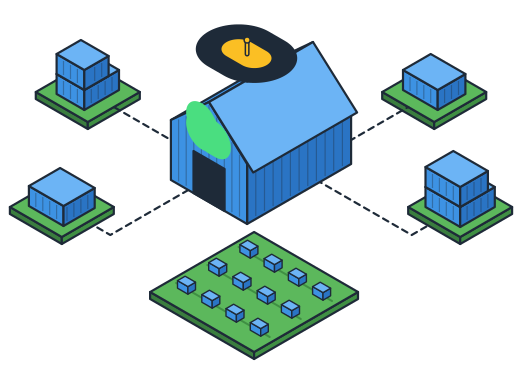
A minimal CLI tool to run Docker Compose commands across multiple hosts via SSH.
What is Compose Farm?
Compose Farm lets you manage Docker Compose stacks across multiple machines from a single command line. Think Dockge but with a CLI and web interface, designed for multi-host deployments.
Define which stacks run where in one YAML file, then use cf apply to make reality match your configuration.
It also works great on a single host with one folder per stack; just map stacks to localhost.
Quick Demo
CLI:
Why Compose Farm?
| Problem | Compose Farm Solution |
|---|---|
| 100+ containers on one machine | Distribute across multiple hosts |
| Kubernetes too complex | Just SSH + docker compose |
| Swarm in maintenance mode | Zero infrastructure changes |
| Manual SSH for each host | Single command for all |
It's a convenience wrapper, not a new paradigm. Your existing docker-compose.yml files work unchanged.
Quick Start
Single host
No SSH, shared storage, or Traefik file-provider required.
# compose-farm.yaml
compose_dir: /opt/stacks

hosts:
  local: localhost

stacks:
  plex: local
  jellyfin: local
  traefik: local
Multi-host
Requires SSH plus a shared compose_dir path on all hosts (NFS or sync).
# compose-farm.yaml
compose_dir: /opt/compose

hosts:
  server-1:
    address: 192.168.1.10
  server-2:
    address: 192.168.1.11

stacks:
  plex: server-1
  jellyfin: server-2
  grafana: server-1
Each entry in stacks: maps to a folder under compose_dir that contains a compose file.
For cross-host HTTP routing, add Traefik labels and configure traefik_file to generate file-provider config.
Installation
Configuration
Create compose-farm.yaml in the directory where you'll run commands (e.g., /opt/stacks), or in ~/.config/compose-farm/:
compose_dir: /opt/compose

hosts:
  nuc:
    address: 192.168.1.10
    user: docker
  hp:
    address: 192.168.1.11

stacks:
  plex: nuc
  grafana: nuc
  nextcloud: hp
See Configuration for all options and the full search order.
Usage
# Make reality match config
cf apply

# Start specific stacks
cf up plex grafana

# Check status
cf ps

# View logs
cf logs -f plex
Key Features
- Declarative configuration: One YAML defines where everything runs
- Auto-migration: Change a host assignment, run
cf up, stack moves automatically
- Parallel execution: Multiple stacks start/stop concurrently
- State tracking: Knows which stacks are running where
- Traefik integration: Generate file-provider config for cross-host routing
- Plugins: Replace NFS with rsync, pass host-decrypted secrets, move per-stack ZFS datasets (Plugins)
- Zero changes: Your compose files work as-is
Requirements
- uv (recommended) or Python 3.11+
- SSH key-based authentication to your Docker hosts
- Docker and Docker Compose on all target hosts
- Shared storage (compose files at same path on all hosts), or the
syncplugin
Documentation
- Getting Started - Installation and first steps
- Configuration - All configuration options
- Plugins - Hooks, builtin plugins, and writing your own
- Commands - CLI reference
- Web UI - Browser-based management interface
- Architecture - How it works under the hood
- Traefik Integration - Multi-host routing setup
- Best Practices - Tips and limitations
License
MIT